Portable Mandelbulb 3D 1.90
This post was published 10 years ago. Download links are most likely obsolete. If that's the case, try asking the uploader to re-upload.
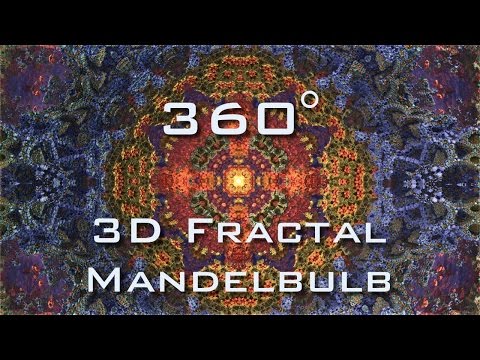
Portable Mandelbulb 3D 1.90|Windows(x86/x64)|rar|22.8 mb
Mandelbulb 3D (MB3D) Fractal Rendering Software
Mandelbulb 3D is a program designed for the Windows platform, for generating 3D views of different fractals. The rendering is based on distance estimates (DE), you might find this shortcut in some of the explanations. The Mandelbulb was discovered by Daniel White and Paul Nylander, and developed collaboratively in the Fractal Forums community. These individuals set out to find a three-dimensional equivalent of the Mandelbrot set, and they found what they were looking for. Explore this previously unseen world of 3D fractals, where math, art, and science converge. Mandelbulber is an easy to use, handy application designed to help you render 3D Mandelbrot fractals called Mandelbulb and some other kind of 3D fractals like Mandelbox, Bulbbox, Juliabulb, Menger Sponge
Mandelbulb 3D is a free software application for Windows and Mac, created for 3D fractal imaging. MB3D formulates dozens of nonlinear equations into a range of fractal objects. The 3D rendering environment includes lighting, color, specularity, depth-of-field, shadow- and glow- effects; allowing the user fine control over the imaging effects. Many thanks to the people on FractalForums, especially to David Makin for helping with implementing DE, also to Buddhi for the fast DE method for the amazing box, msltoe for the riemannian formula, Tglad for the Amazing Box, Fracmonk for the CommQuat formula, Trafassel for the IdesFormula, Kali, Bethchen, all i forgot, for even more formulas, and of course Luca (DarkBeam) for many, many own made formulas! Not at least thanks to Daniel White, whose fast int power formulas I am using and for developing some of the first 3d bulbs together with Paul Nylander. Also to Syntopia and all the others for inspiration, helping, testing, for suggestions, and the people of Nasa and Gimp for the awesome work and the maps i generated from their work (and hopefully there is no restriction in using them this way). Also a big thanks to all who supported m3d, me and others with kind words, lightmaps, cool renderings and their parameters!
Features
Zooming and navigating
3D Navigator
Formulas
Lighting
OPTION TABS:
Calculation
Coloring -> Volumetric light
Internal
Cutting
Julia on,off
Infos
Camera
Stereo
POSTPROCESSING:
Recalculate a Selection
Normals on Z-Buffer
Hard Shadows
Ambient Shadows
Reflections and transparency
Depth of Field
Drawing on the image
Saving and loading
Animation maker
• Rendering of trigonometric, hypercomplex, mandelbox, IFS and many other 3D fractals
• complex 3D ray-traced shading: hard shadows, ambient occlusion, depth of field, translucency & refraction, etc.
• rich GUI in Qt 5 environment
• unlimited image resolution on 64-bit systems
• program compiled for x86 and x64 CPUs (Linux, Windows, OS X)
• simple 3D navigator
• key-frame animation of all parameters (not yet in v2)
• OpenCL support (not yet in v2)
NEW
V1.90 RELEASE
- Support for animated (height)maps! They are defined in the "Map Sequences"-window in the Prefs-section
and saved as local properties, i.e. you may use them independly of a specific set of fractal params.
- You define an image sequence by filename, start frame, end frame, loop setting and frame increment
- You assign this sequence to a logical map channel (any number) you wish
- You use this channel as map number in your fractal, e.g. as color map or heightmap
- Now you can preview the state at frame [n] by changing the frame number in the main view
(this is just for test render, not for animating)
- When you use this fractal in the animation window, the map will now be animated, i.e. at each frame
of the animation the corresponding frame of the map will be calculated (accordingly to the settings
you made) and the image-file will be loaded. If no image file is found it is asumed to be "black".
- new MutaGen-module to easily explore new combinations of formulas and settings
- four types of mutations:
- add, remove, exchange formulas
- modify params of formulas
- modify Julia-mode
- modify iteration count
- in the UI you may turn on/off those types individually, by specifying a weight, and you may specify an additional
strength-parameter
- you may browse through the already generated generations of mutations and restart on interesting results
- you may resize the window to alter the size of the generated thumbnail images
- you may cancel/restart the mutation-process at any time (sometimes there occur combinations of parameters
which may lead to "endless" calculations, in such cases it is helpful to be able to just restart)
- WARNING: some formula-combinations may SILENTLY crash the program, so please save often!
Silently crashing means you will not see it immediately, often the UI starts to behave weird.
We are working to improve this!
- This is just the first version, e.g. interpolated functions are not supported yet!
- Please note, that it is intented that this module does not create ready-to-use artworks from scratch.
It can only happen, when you put in well made parameters (whith everything what makes a great artwork),
that the mutation will keep many of those properties, making it a nice artwork.
Or in short: the better your input, the better the output.
- Navigator-size may now be altered (you must expand the right toolbar to see the "Navigator size" control),
the last setting is stored to the ini-file. Please note, that the size can only be defined in percent
by using the arrows or listbox, but not by changing the window-size directly (this is due to some historic
implementation details).
- Global rework of the UI, added theme-support, made "Glossy" the default theme,
changed the captions of some buttons in order to make them more readable
- Formula-Window:
- exchanging of formulas now works in two directions
- integrated formula-editor for creating/editing JIT-compiled formulas (see the new buttons in the formula window)
- support for MB3D's parameters and constants, both the TIteration3D and TIteration3Dext-structs are supported
- preprocessor to deal with the parameter-handling code
- backed by the commercial PaxCompiler
- included support for about 50 mathematical functions
- watch out for formulas with the prefix "JIT" for examples!
- Please note that dIFS-formulas are not supported yet because they are invoked differently,
but also this will be fixed in future releases
- Many new formulas from the community at fractalforums
- New Info-Section at the main window, which now has a button to reach the official bug-reporting tool,
please use the bug-reporting-tool to report bugs if possible!
Homepage
System Requirements
IBM or compatible Pentium/AMD processor (900 MHz or greater), 512 MB RAM or greater. 1024 x 768, 16-bit display (32-bit recommended)
Windows XP, Windows Vista all SP, Windows 7
Language English
Download :Portable (Size:22.8 mb)