Creating a Responsive Sortable Photo Gallery with jQuery
This post was published 8 years ago. Download links are most likely obsolete. If that's the case, try asking the uploader to re-upload.
1h 50m | Video: AVC (.mp4) 1280x720 15&30fps | Audio: AAC 48KHz 2ch | 435MB
Genre: eLearningLanguage: English
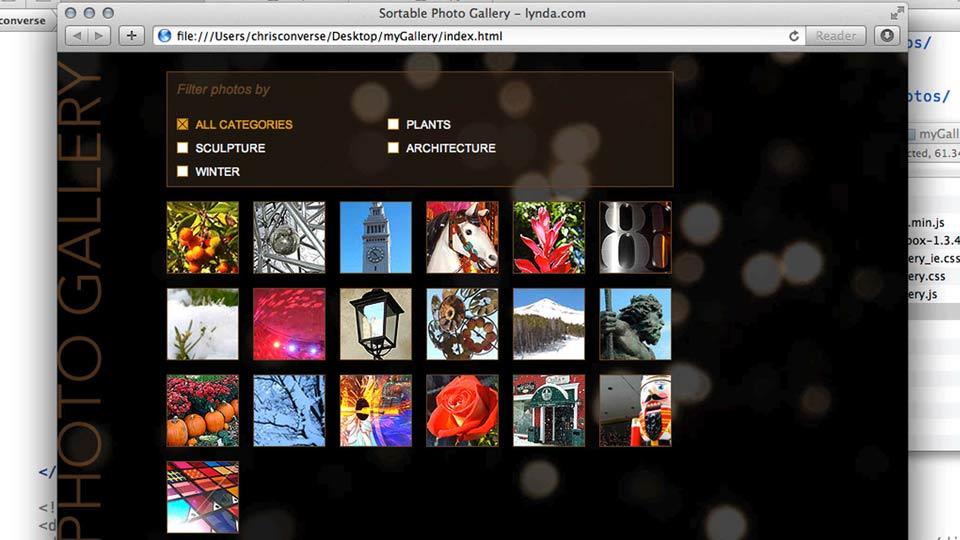
Give your visitors a smart and dynamic experience when reviewing your photography. This course shows how to create a photo gallery that sorts and rearranges your photos based on keywords you add to the HTML. In addition, author Chris Converse shows how to use a lightbox to display larger photos, and even allow your visitors to navigate through the lightbox”giving them an alternate navigation option to review your photos.
This course was created and produced by Chris Converse. We are honored to host this training in our library.
Topics include:
Creating and exporting web graphicsSetting up the HTML containersStyling the layout with CSSTagging your gallery with dataAdding a dropdown menuPreparing your photos and thumbnailsAdding jQuery to your projectAdding a lightbox preview for your photosMaking the layout responsive
Screenshots
Quick check before we show the links
Helps us keep automated scrapers from hammering the filehosts.