Procreate: Essential Foundations For Digital Illustration
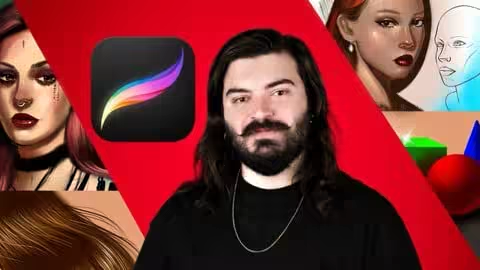
MP4 | Video: h264, 1920x1080 | Audio: AAC, 44.1 KHz
Language: English | Size: 6.14 GB | Duration: 8h 31m
Learn Procreate for Digital Illustration, Character Design & Studio Workflows
What you'll learn
Master Procreate from beginner to advanced with a complete, step-by-step workflow
Understand color theory and learn how to choose professional color palettes in Procreate
Practice with guided drawing exercises to build real illustration skills
Master the Procreate brush engine and learn to customize and create your own brushes
Learn advanced tools like layer blend modes, layer masks, and clipping masks
Use selection tools, symmetry, and transform tools to create precise artwork
Discover all the powerful Procreate adjustments to enhance your illustrations
Learn animation basics in Procreate and create simple animated artwork
Import references and use Procreate for professional digital illustration workflows
Understand when and why to use Procreate tools, not just how they work
Requirements
No prior experience with Procreate or digital illustration is required – this course is perfect for beginners!
A working copy of Procreate installed on an iPad
Apple Pencil recommended for best results (optional but highly suggested)
Enthusiasm to practice and improve your digital art skills
A basic understanding of drawing or sketching is helpful but not mandatory
Description
RequirementsA working copy of Procreate installed on an iPadApple Pencil recommended for best results (optional, but highly suggested)Description“Procreate has so many tools how do I know I’m learning the right ones? How do I avoid beginner mistakes?”This course answers all those questions. I’m Yaşar Vurdem, a professional illustrator and digital artist who has worked with top brands and global artists, including Adobe, Billie Eilish, Prime Video (Lord of the Rings: Rings of Power, Citadel, The Wheel of Time), Ubisoft, Logitech, Wacom, and Xppen. With decades of experience in illustration and design, I bring studio-level techniques directly to you so you can confidently create stunning digital artwork in Procreate.We start with a multi-video project that introduces core techniques quickly so you can get drawing immediately. Every technique is then explored in depth so you gain real mastery. All practice files are included so you can follow along—no multiple-choice quizzes, just practical, hands-on exercises.You’ll learn professional workflows, tools, and techniques used in studios, including:Mastering the brush engine to customize and create your own brushesUsing layer masks, blend modes, and clipping masks effectivelyWorking with selection, symmetry, and transform toolsApplying all Procreate adjustments for professional resultsPractical tips and workflows to create polished, high-quality illustrationsUnderstanding when and why to use each tool, not just howBy the end of this course, you’ll have the confidence and skills to complete your own art projects from start to finish. You’ll know how to approach illustrations like a professional, and you may soon look at your own artwork thinking: “I created that!”Enroll today your 30-day money-back guarantee makes this risk-free. Learn Procreate the right way from someone whose work has been trusted by Adobe, Billie Eilish, Prime Video, Ubisoft, Logitech, Wacom, Xppen and more.Who this course is forBeginners to Procreate and digital illustrationDigital artists who want to master Procreate tools, workflows, and professional techniquesArtists who want to learn studio-level methods used in real-world professional projectsYou will learn to think like a professional artist by mastering the fundamentals of traditional and digital art, building a future-focused mindset that allows you to evolve with emerging tools, technologies, and the changing standards of the creative industry.
Beginners to Procreate and digital illustration who want a complete, step-by-step foundation,Artists who want to master Procreate tools, brushes, layers, and workflows used in professional studios,Digital artists looking to improve their character design, illustration, and drawing skills,Hobbyists who want to create polished artwork for personal or professional projects,Students or creatives who want to learn Procreate the right way without missing essential techniques
Quick check before we show the links
Helps us keep automated scrapers from hammering the filehosts.