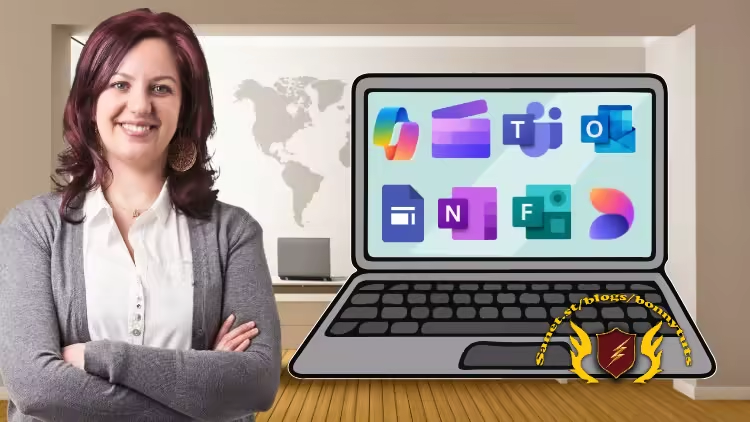
MS Office Course: 7-in-1 Bundle: Microsoft Office Tutorial
Published 2/2026
Created by Being Commerce
MP4 | Video: h264, 1920x1080 | Audio: AAC, 44.1 KHz, 2 Ch
Level: All Levels | Genre: eLearning | Language: English | Duration: 63 Lectures ( 20h 45m ) | Size: 18.6 GB
Learn Outlook, Teams, OneNote, Forms, Designer, Clipchamp and OneDrive step by step with Microsoft Copilot
What you'll learn
✓ How to set up and customize Microsoft Outlook and Teams from scratch
✓ How to compose, reply, and format professional emails with AI-powered Copilot
✓ How to manage inbox clutter using smart filters, folders, and rules
✓ How to integrate Outlook Calendar for meetings, reminders, and scheduling
✓ How to use Microsoft Copilot to summarize emails and generate quick responses
✓ How to set up and manage Microsoft Teams workspaces, channels, and chats
✓ How to conduct video meetings, share screens, and manage collaboration in Teams
✓ How to apply Copilot for summarizing meetings and creating follow-up notes
✓ How to optimize privacy, notifications, and appearance settings for productivity
✓ Practical real-world workflows combining Outlook, Teams, and Copilot
Requirements
● Willingness to learn new digital and AI tools for workplace productivity
Description
If you want one complete MS Office course that takes you from beginner to confident daily user, this program gives you exactly that — step by step, app by app, with real tasks and practical use cases.
Most people only learn small parts of Microsoft Office. They watch random videos, pick up shortcuts here and there, and still feel unsure when real work shows up. This course fixes that gap. You will go through the full Microsoft 365 ecosystem in a structured way — not just features, but real usage.
Inside this microsoft office tutorial, you will learn Outlook, Teams, OneNote, Forms, Designer, Clipchamp, and OneDrive — plus hands-on training with Microsoft Copilot AI across apps. That means you are not just learning buttons and menus — you are learning how modern Office work actually gets done now.
Each section follows a clean path: setup → core tools → daily work → smart features → AI help → real scenarios. You will see how email, meetings, notes, files, forms, and video editing connect in real workflows. This saves hours every week once you start using it.
The Microsoft Copilot course sections show you how to write emails faster, summarize chats, create forms, generate designs, and speed up content work using AI inside Microsoft tools. Many users know Copilot exists but don’t know how to use it properly. You will.
If you skip this training, you will likely keep doing work the slow way — manual sorting, messy inboxes, scattered notes, repeated file searches, and wasted editing time. Small delays stack up. This course helps remove that friction.
By the end, you will be able to
• Manage professional email and calendars
• Run meetings and team chats
• Create structured notes and knowledge bases
• Design forms and surveys
• Produce graphics and social posts
• Edit videos with built-in tools
• Manage and share cloud files
• Use Copilot AI for faster output
This program is made for clarity. No heavy jargon. No long theory blocks. Just clear screen walkthroughs and real examples. You can follow along even if you are new.
It also works well if you are upgrading your skills for jobs, freelance work, office roles, teaching, or business tasks. These tools show up almost everywhere now. Knowing them well gives you an edge.
You do not need prior deep experience. Just basic computer use is enough to start. Each lesson moves in small steps so you don’t feel lost.
If you want one structured, practical, and current MS Office course that also covers Copilot AI usage, this bundle gives you that in one place.
Who this course is for
■ Office professionals looking to improve communication and productivity
■ Team leaders and managers seeking to streamline collaboration
■ Virtual assistants, administrators, and coordinators managing meetings and emails
■ Freelancers and entrepreneurs managing client communication and projects
■ Anyone curious about using Microsoft Copilot to enhance daily workflow efficiency
Welcome to My Blog - Check it Every Days
If you have any troubles with downloading, PM me
Please Buy Premium Account from my links to get high download speed and support me
Happy Learning!!
Quick check before we show the links
Helps us keep automated scrapers from hammering the filehosts.