Automate New Hire Onboarding w/ SharePoint & Power Automate
Published 2/2026
Created by Russell Mangum
MP4 | Video: h264, 1920x1080 | Audio: AAC, 44.1 KHz, 2 Ch
Level: Intermediate | Genre: eLearning | Language: English | Duration: 53 Lectures ( 2h 21m ) | Size: 1.5 GB
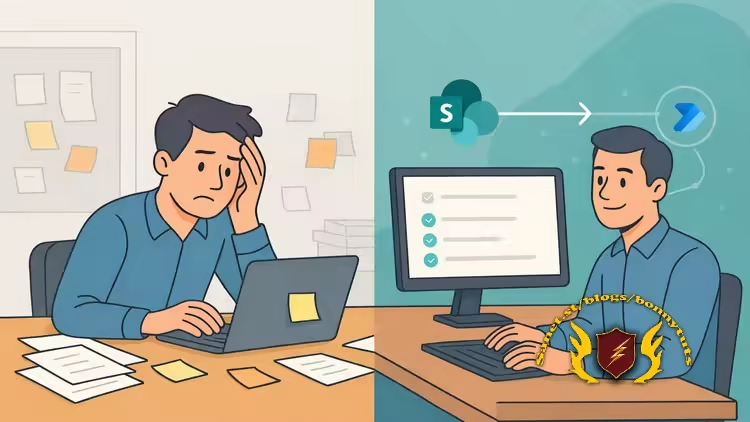
Learn how to create a modern, automated onboarding system that replaces manual tracking with structured workflows.
What you'll learn
✓ Design a structured new-hire onboarding solution using SharePoint lists instead of ad-hoc documents or emails.
✓ Build and configure multiple SharePoint lists (Onboarding Checklist, New Hire Tracker, and Assignments) using the right list templates.
✓ Create a Power Automate flow that generates individual onboarding assignments from a master checklist.
✓ Automatically assign onboarding tasks to the correct people based on a new hire’s role or location in SharePoint.
✓ Customize the onboarding solution to match real-world business requirements without writing code.
✓ Explain how SharePoint and Power Automate work together to support scalable, repeatable HR processes.
Requirements
● Basic familiarity with SharePoint Online (creating lists, navigating sites, and editing list items)
● Access to a Microsoft 365 tenant with permission to create SharePoint lists and Power Automate flows
● No coding or scripting experience required
Description
Onboarding new employees should feel organized, consistent, and professional. Instead, many organizations rely on scattered spreadsheets, email reminders, and manual checklists that waste time and create unnecessary friction.
In this hands-on course, you’ll learn how to replace that chaos with a structured, automated onboarding solution built entirely with SharePoint and Power Automate.
Rather than discussing theory, we build a working solution from start to finish.
You’ll design and configure three connected SharePoint lists
• Onboarding Checklist – A master task library with role-based and location-specific tasks
• New Hire Tracker – A centralized record of employees entering the organization
• New Hire Assignments – Individualized task records generated automatically
Then, you’ll create a Power Automate flow that connects everything together. When a new employee is added to the tracker, the flow automatically
• Generates personalized onboarding tasks
• Assigns responsibilities to the correct stakeholders
• Calculates due dates based on start date
• Filters assignments so each user sees only their own tasks
By the end of this course, you will have built a complete, automated onboarding system that
• Eliminates repetitive manual work
• Improves visibility and accountability
• Reduces onboarding errors and missed tasks
• Scales across departments and locations
• Demonstrates real business value using the Power Platform
This course is ideal for SharePoint site owners, Power Platform developers, HR technologists, and IT professionals who want to move beyond theory and build a practical, production-ready solution.
If you’ve ever thought, “There has to be a better way to manage onboarding,” this is where you build it.
Who this course is for
■ This course is designed for professionals who want to build a real, automated onboarding solution using SharePoint and Power Automate, not just learn features in isolation.
■ SharePoint administrators and site owners who want to move beyond static lists and build functional business solutions
■ IT professionals and business analysts responsible for improving or standardizing onboarding and task-tracking processes
■ HR or operations staff who collaborate with IT and want to understand how onboarding automation actually works under the hood
Welcome to My Blog - Check it Every Days
If you have any troubles with downloading, PM me
Please Buy Premium Account from my links to get high download speed and support me
Happy Learning!!
Quick check before we show the links
Helps us keep automated scrapers from hammering the filehosts.