Windows XP Professional SP3 x86 Integral Edition 2019.11.18
This post was published 6 years ago. Download links are most likely obsolete. If that's the case, try asking the uploader to re-upload.
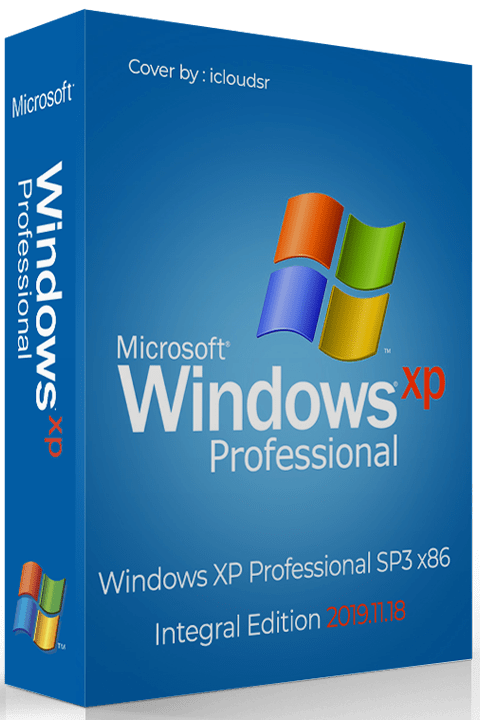
Language: English / Russian | OS: x86 | Size: 740.94 MB
The Windows XP Professional Edition is back! Build with automatic installation and updates POSReady on May 2019. Integrated all drivers SATA / ACHI, LAN, WLAN and Chipset and much more. The system is fully optimized for speed.
The legendary build of Windows XP Professional SP3 Black Edition is back! Build with automatic installation and updates POSReady on May 2019. Integrated all drivers SATA / ACHI, LAN, WLAN and Chipset and much more. The system is fully optimized for speed.
Windows XP Updates
• Windows XP Service Pack 3 (KB936929).
• Windows XP and POSReady 2009 Updates / Hotfixes until 11.6 (June) .2019.
• Windows Genuine Advantage Validation v1.9.42.0 (KB905474) {Cr4cked}.
• Windows Internet Explorer v8 (Roll Back to 6 possible).
• Windows Media Player v11 (Roll Back to 9 possible).
• Windows Remote Desktop Connection 7.0 (KB969084, KB2813347-v2, KB2870165-v3).
• Windows Rights Management Client (KB979099).
• Windows Driver Frameworks 1.9 - User Mode (KB970158) and Kernel Mode (KB970159).
• Windows Feature Pack for Storage v1.0 (KB952013) - Image Mastering API v2.0 (KB932716-v2, KB952011).
• Windows Feature Pack for Storage v1.0 (KB952013) - ICCD Smart Card Driver.
• Windows Installer v4.5.6002.24298 (KB942288, KB4087398).
• Windows XP exFAT file system driver update package v1.0 (KB955704).
• Windows XP Root Certificates Update [October 2019 v41.0.2195.1910] (KB931125).
• Windows XP Revoked Roots Certificates Update [August 2019 v8.0.2195.1908] (SA3123040).
• Windows XP CAPICOM v2.1.0.2 (KB931906).
• Microsoft European Union Expansion Font Update v1.2.
• Microsoft WinUSB 2.0 (KB971286).
• Microsoft XML Paper Specification Essentials Pack v1.2.
• Microsoft XML Core Services v4.0 SP3 4.30.2117.0 (KB2758694).
• Microsoft Web Folders v12.0.6612.1000 (KB907306, KB2526086 / Rosebub).
• Microsoft Windows Browser Choice (KB976002-v5).
• Windows Update v7.6.7600.256.
• Windows Update Web Control v7.6.7600.257.
• Microsoft Update Web Control v7.6.7600.257.
• Microsoft Update Catalog Web Control v7.4.7057.249 (build time-stamp 130620-1021).
Windows XP Applications
• Microsoft Calculator Plus v1.0.0.908 {Replaces the default Calculator}.
• Microsoft BitLocker To Go Reader v1.0 (KB970401).
• Windows XP Powertoy - ClearType Tuner v1.01 - {Optional}.
• Windows XP Powertoy - Alt-Tab Replacement v1.0 - {Optional}.
• Windows XP User Profile Hive Cleanup Service v2.0.49 Beta - {Optional}.
• Windows XP GDI + Detection Tool v1 (KB873374).
• Windows XP QFEcheck v6.2.29.0 (KB282784).
Added Programs
• 7-Zip v19.00 - {Optional}.
• Basilisk / UXP v2019.11.16 (Mozilla Firefox fork for Windows XP) - {Optional}.
• PotPlayer v1.7.20977 - {Optional}.
• Unlocker v1.9.2 - {Optional}.
• ImDisk Toolkit v2019.9.24 - {Optional}.
• HashCheck v2.4.0.55 - {Optional}.
• Open Command Prompt Shell Extension v2.1.0 - {Optional}.
• Paragon GPT Loader v8.0.1.0 (Adds support for 2.2TB + drives).
• Toshiba UDF Reader Driver v2.5 (Allows to browse HD-DVD and Blu-ray discs in Windows Explorer).
How to install Windows XP new
BACKUP ALL YOUR FILES ON A SEPARATE STORAGE DEVICES.
Download all the Up-to-Date Drivers for your Computer.
Burn the "Windows XP Professional SP3 x86 - Black Edition 201X.XX.XX.iso" ISO file as a Image file with your burn program.
Insert the Windows XP disc into your CD/DVD-ROM drive and restart your computer and boot from the Windows XP disc.
Now follow the Windows XP Setup wizard instructions and make a clean installation on a formatted Hard Disk drive or Partition.
* If you install Windows XP on a Solid State Drive (SSD) then it is recommended to align the Windows XP Solid State Drive (SSD) or Partition to increase the Solid State Drive (SSD) performance, because at the Windows XP installation Windows XP does not align a new created Partition correctly for a Solid State Drive (SSD). The easiest way to do this on WIndows XP is to install the free prgram version of "MiniTool Partition Wizard" and then you have to simply Start the program and Right-Click on the Windows XP Solid State Drive (SSD) or Partition and then Click on "Align" and then Click on "Apply".
Whats New
• Updated Windows XP Root Certificates Update (KB931125) from "May 2019 v41.0.2195.1905" to "October 2019 v41.0.2195.1910".
• Updated Windows XP Revoked Roots Certificates (SA3123040) Update from "March 2015 vv8.0.2195.1903" to "August 2019 v8.0.2195.1908".
• Updated Microsoft Visual C ++ 2015-2019 Redistributable from "v14.22.27821" to "v14.24.28127.4".
• Updated Basilisk / UXP from "v2019.8.16" to "v2019.11.16".
• Updated PotPlayer from "v1.7.19955" to "v1.7.20977".
• Updated ImDisk Toolkit from "v2019.6.29" to "v2019.9.24".
• Removed SumatraPDF (A PDF Reader is already included in Basilisk / UXP).
Hashes
File: Windows XP Professional SP3 x86 - Integral Edition 2019.11.18.iso - 685 MB
the CRC32: 0444A71D
the MD4: 1FD57CE4963587C94BDAD8D4E1156A45
the MD5: 38A56D1E3D368ECA173325D779EB5F31
the SHA-1: 559610398C869260DB24926DEA74BF63E4CAF630
Minimum system requirements
• Processor: at least 300 MHz
• Memory: 256 Mb
• VGA: (800 x 600)
• HDD: 6 GB
Homepage
Quick check before we show the links
Helps us keep automated scrapers from hammering the filehosts.