Apache OpenOffice 4.2.0 M1 Build 9800 Rev 1816295
This post was published 8 years ago. Download links are most likely obsolete. If that's the case, try asking the uploader to re-upload.
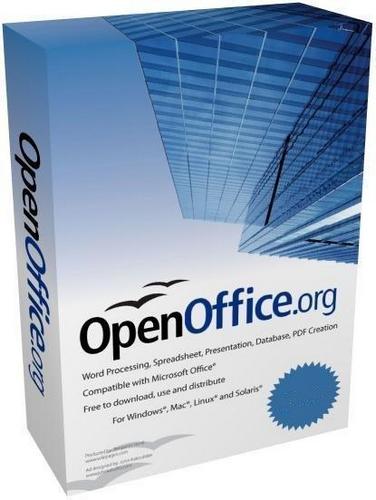
File Size: 136.2 Mb
Apache OpenOffice is a full-featured office suite that comes as a more affordable alternative to the popular Microsoft Office. It brings alternative solutions for each major tool bundled into Microsoft's very own suite, which means that you can switch to this application even if you are a fan of MS Word, Excel, Power Point or Access.
Complex setup process and clear-cut GUI
Apache OpenOffice has them all, obviously under a different name, yet boasting almost the same powerful functions as Microsoft's software package. The installer allows you to set up only the components you need, by simply selecting them, yet this is a reason why it is important to check twice before making your choices.
Using this utility is quite easy after you get used to the menus and the places functions are located. Sure, it might be a bit overwhelming for first-time users, but it's only the way such a complex application may interact with its users.
Exploring all the multiple tools at your disposal
“Writer” is a part of the suite designed as a direct replacement for Microsoft Word. It comes with spell checking, it allows you to insert tables, pictures, files or graphs into new documents, change formatting, build macros, switch to another language or even install extensions from the same rich interface.
Apache OpenOffice “Calc” is Excel's equivalent and it has everything you need, be it spreadsheet functions, filters, forms, charts and drawings. In addition to that the “Impress” component challenges PowerPoint and relies on a wide assortment of built-in animations and effects to make your presentations more appealing.
Conclusion and performance
Apache OpenOffice is an efficient and reliable piece of software which comprises all the necessary tools to become your office suite of choice. It runs quite smooth even on older computers, without popping errors or freezing, while the interface might seems quite familiar and thus, simple to handle.
What does Apache OpenOffice include?
Writer (word processor)
Writer is a feature-rich tool for creating letters, books, reports, newsletters, brochures, and other documents. You can insert graphics and objects from other components into Writer documents. Writer can export files to HTML, XHTML, XML, Adobe's Portable Document Format (PDF), and several versions of Microsoft Word files. It also connects to your email client.
Calc (spreadsheet)
Calc has all of the advanced analysis, charting and decision-making features expected from a high-end spreadsheet. It includes over 300 functions for financial, statistical, and mathematical operations, among others. The Scenario Manager provides “what if" analyses. Calc generates 2-D and 3-D charts, which can be integrated into other OOo documents. You can also open and work with Microsoft Excel workbooks and save them in Excel format. Calc can export spreadsheets to Adobe's PDF and to HTML.
Impress (presentations)
Impress provides all the common multimedia presentation tools, such as special effects, animation, and drawing tools. It is integrated with the advanced graphics capabilities of OOo's Draw and Math components. Slideshows can be further enhanced with Fontwork's special effects text, as well as sound and video clips. Impress is compatible with Microsoft's PowerPoint file format and can also save your work in numerous graphics formats, including Macromedia Flash (SWF).
Draw (vector graphics)
Draw is a vector drawing tool that can produce everything from simple diagrams or flowcharts to 3-D artwork. Its Smart Connectors feature allows you to define your own connection points. You can use Draw to create drawings for use in any of OOo's other components, and you can create your own clipart and add it to the Gallery. Draw can import graphics from many common formats and save them in over 20 formats including PNG, HTML, PDF, and Flash.
Base (database)
Base provides tools for day-to-day database work within a simple interface. It can create and edit forms, reports, queries, tables, views, and relations, so that managing a connected database is much the same as in other popular database applications. Base provides many new features, such as the ability to analyze and edit relationships from a diagram view. Base incorporates HSQLDB as its default relational database engine. It can also use dBASE, Microsoft Access, MySQL, or Oracle, or any ODBC- or JDBC-compliant database. Base also provides support for a subset of ANSI-92 SQL.
Math (formula editor)
Math is OOo's formula or equation editor. You can use it to create complex equations that include symbols or characters not available in standard font sets. While it is most commonly used to create formulas in other documents, such as Writer and Impress files, Math can also work as a stand-alone tool. You can save formulas in the standard Mathematical Markup Language (MathML) format for inclusion in webpages and other documents not created by OOo.
What's New in version 4.2.0 M1
• official site does not provide any info about changes in this version
OS: Windows Vista / 7 / 8 / 10 (32/64-bit) and XP
Homepage
Quick check before we show the links
Helps us keep automated scrapers from hammering the filehosts.