Global Mapper 18.1.0 Build 022117 (x86/x64)
This post was published 9 years ago. Download links are most likely obsolete. If that's the case, try asking the uploader to re-upload.
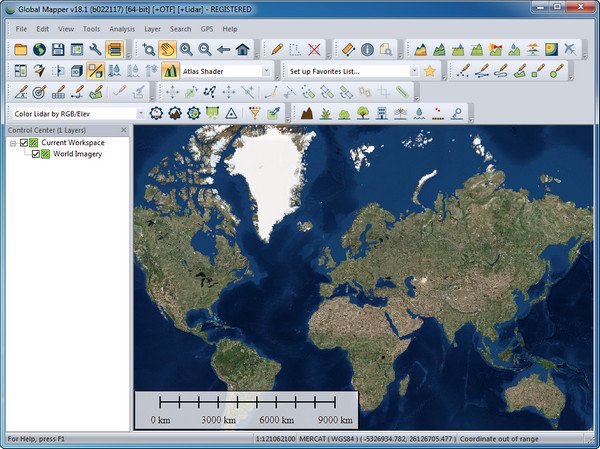
File size: 145 MB
Global Mapper is an affordable and easy-to-use GIS application that offers access to an unparalleled variety of spatial datasets and provides just the right level of functionality to satisfy both experienced GIS professionals and beginning users. Equally well suited as a standalone spatial data management tool and as an integral component of an enterprise-wide GIS, Global Mapper is a must-have for anyone who works with maps or spatial data.
Low-cost and easy-to-use GIS solution
Supports over 250 spatial data formats
Optional LiDAR Module for powerful point cloud processing
Advanced projection management using GeoCalc library*
Unmatched and complimentary technical support
Release Notes
Significant New Features:
New option to freeze the 3D View when zooming and panning the 2D map
Significantly improved usability/speed of model and raster display in 3D View
Faster loading and display of vector layers
Support for many new formats, including LandXML(export), RMaps/MBTiles (import), BPF Lidar (import), Autodesk FBX (import/export), and GSF (import)
New online data sources including General Bathymetric Chart of the Oceans (GEBCO)
New option to apply a bank angle value and variable velocity to each flight segment with creating a 3D fly-through
Support for calculating cut-and-fill volume results for multiple line features at once
Map draw can now be paused when mouse wheel is scrolled
New option to derive range ring radius from an attribute
New tool for calculating color statistics in a raster layer within an defined area
Scripting Changes:
New command for for measuring the volume between two surfaces CALC_VOLUME_BETWEEN_SURFACES
LiDAR Module Features:
New LiDAR QC tool for comparing point cloud elevations with known elevations at control points and for adjusting the point cloud elevations to match
New option to visualize and filter LiDAR point clouds by density
New tool for adding colors to a point cloud from a gridded layer (eg, NDVI, land cover)
Homepage
Quick check before we show the links
Helps us keep automated scrapers from hammering the filehosts.