TinyWall 2.1.8
This post was published 10 years ago. Download links are most likely obsolete. If that's the case, try asking the uploader to re-upload.
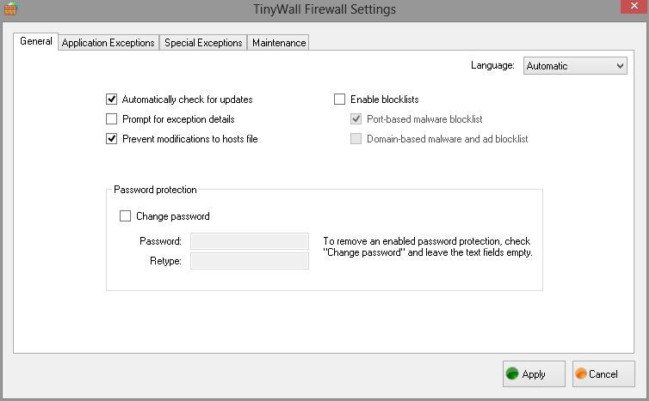
TinyWall 2.1.8 | 3 Mb
TinyWall has been designed to improve the default firewall of Windows. TinyWall lets you work while protecting you. There are no annoying popups but configuration is very simple. Using the advanced Windows Firewall built into newer Windows versions, TinyWall's performance impact is negligible. No drivers or kernel-components are installed so it does not influence system stability. Automatic learning, blocklists, password lock, firewall tampering protection and built-in tight firewall rules help increase TinyWall's and your computer's security even further. Firewall modes and lots of other convenience features make TinyWall extremely easy to use for anybody. All packed into a download that is about a megabyte.
Feature overview
Multiple and easy ways to whitelist programs
Automatic learning mode
Firewall tampering protection
Password lockdown of settings
Quick modes, like Normal protection, Allow outgoing, Block all, Allow all and Learning mode
Support for temporary/timed firewall rules
Port and domain blocklists
Hosts file protection
Option to always allow communication within LAN
Option to restrict an application to the LAN
Recognition of safe software and impostors
Full IPv6 support
List established and blocked connections
View open ports on your machine
Whats New
2.1.8 - Maintenance release (10.03.2016.)
- Fix: Potential GUI crash when whitelisting by window
- Fix: GUI crash if copying to clipboard which is in use by another app
- Fix: Connections form GUI scaling issue in German localization
- Workaround for performance issue in Windows 10
- Atomic file updates to reduce chance of lost settings in case of file system corruptions
- Handle some more possible errors on uninstallation
- Add Czech localization, and Spanish update
HomePage