OmegaT 3.1.9 Update 4 with JRE / without JRE
This post was published 10 years ago. Download links are most likely obsolete. If that's the case, try asking the uploader to re-upload.
OmegaT 3.1.9 Update 4 with JRE / without JRE | 123/89 Mb
OmegaT is a free and open-source Java-based application that aims to help professional users translate documents fast and easy. It integrates numerous options that might take a while to figure out.
No installation required
Installation is not necessary, as long as Java is installed on the computer. You can drop the app directory in any location on the hard disk and just click the JAR file to run. Another possibility is to save OmegaT to a USB flash disk or similar storage unit, in order to run it on any PC easily.
Plain interface with shown instructions
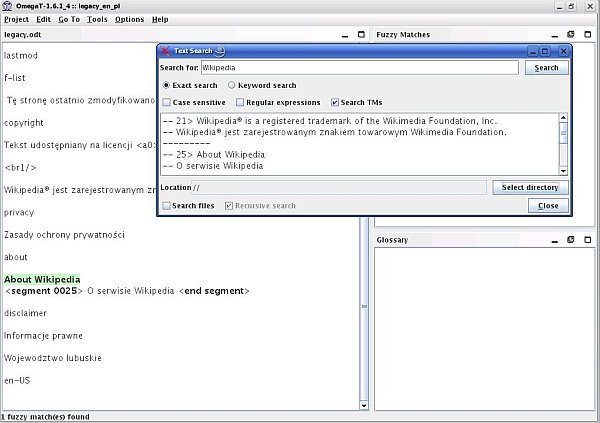
The GUI consists of a seemingly outdated window that shows instructions on how to get started, divided into multiple panes like instant start, fuzzy matches and glossary.
Create new projects
To create a new project it is necessary to specify the saving directory (an empty one) and configure settings pertaining to the languages of the source and translated files, sentence-level segmenting, tags removal, and file locations (e.g. glossary, dictionary, translation memory).
Source files can be easily imported from the disk, while URLs can be added from MediaWiki webpages. It is possible to create glossary entries by adding comments, source and target terms, build alternative translations, insert or replace words with matches, change the text case, insert source tags, jump to specific segments, validate tags, and more.
Modify program options
As far as app settings are concerned, you can select the translation service (e.g. Microsoft, Google), change the font, view and edit file filters, enable an automatic spellchecker, use proxies if necessary, as well as to modify the default name/ID that marks your team name for translations.
Performance and conclusion
OmegaT is low-demanding when it comes to CPU and RAM, so it does not hog system resources. It has a good response time and did not hang, crash or pop up error messages in our testing. On the other hand, its interface and options are not intuitive at all, making it quite difficult to work with. Users have more luck resorting to friendlier apps for executing professional translations between multiple languages.
FEATURES
• Fuzzy matching
• Automatic propagation of translations
• Unlimited number of translation memories (TMX format)
• Unlimited number of glossaries (CSV and TBX format)
• Looking up terms in the project, in reference translation memories, in glossaries and in reference documents
• Projects with an unlimited number of folders and files, in all accepted formats
• Team projects with an unlimited number of translators
• Right to left and bidirectional writing management
• Tag protection and validation
• Morphological recognition
• More than 30 supported file formats, including Microsoft Word, Excel and PowerPoint, Open Document Format (LibreOffice, Apache OpenOffice), HTML and XHTML, TTX and SDLXLIFF (Trados), TXML (Wordfast Pro) and IDML (InDesign)
• Spell checking (Hunspell)
• Linguistic checking (LanguageTool)
• Dictionaries (mono and multilingual) in StarDict and Lingvo DSL formats
• Machine translation (Google Translate, Microsoft Translator, Apertium, Yandex)
• Public API for plugins: Additional file formats (Okapi), Local machine translation (Apertium), Internet searching system (ExternalFinder)
• Running scripts written in Groovy and JavaScript
• Auto-completion from glossary entries and abbreviation list
New in version 3.1.9 Update 4
Implemented requests:
• Support HTML 5 encoding detection
Bug fixes:
• Team project: URL used for checkout is not trimmed
SYSTEM REQUIREMENTS
• JAVA. Get It Here.
OS: Windows All
In Archives: Multilingual (13) documentation
Download
Uploaded - with JRE
Uploaded - without JRE
Mirror
Rapidgator - with JRE
Rapidgator - without JRE
Mirror
Turbobit - with JRE
Turbobit - without JRE
---
__ __ __ __ __ __ __ __ __